Complete Guide to Video Editing
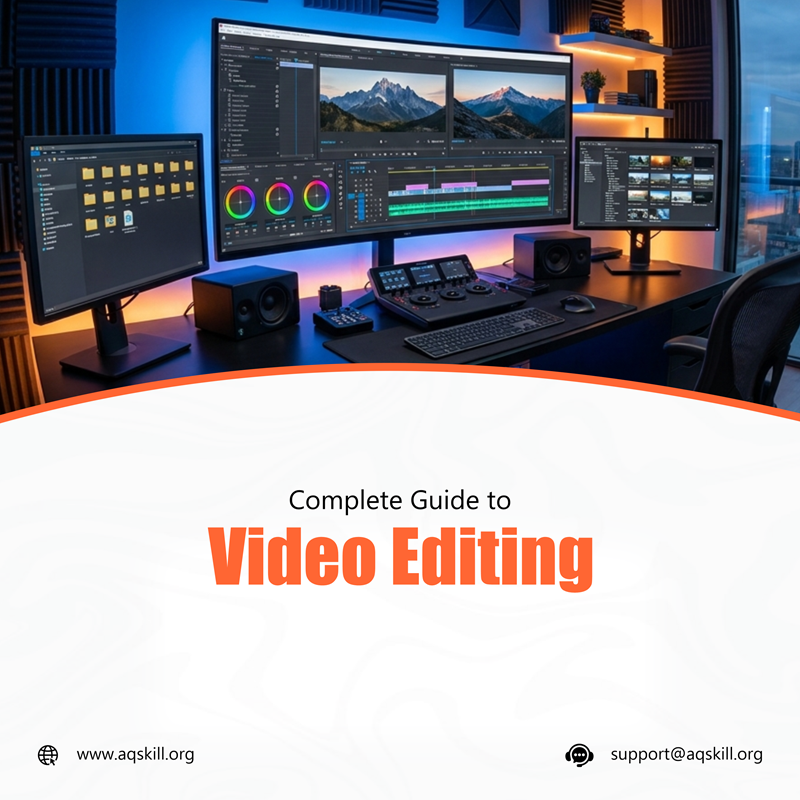
Video Editing at a Glance
Video editing is the process of arranging, cutting, enhancing, and refining video footage to create a final polished video that communicates a message effectively.
It is one of the most important skills in the digital world today because video content dominates platforms like YouTube, TikTok, Instagram, Facebook, and even business marketing campaigns.
From entertainment to education and advertising, video editing plays a critical role in how stories are told online.
Key Takeaways
– Video editing is essential for content creation and digital marketing.
– Editors work with footage, audio, effects, and transitions.
– It is a high-demand skill for freelancers and remote workers.
– Beginners can start with simple tools like CapCut before advancing.
– Video editors earn income from freelance, content creation, and agency work.
– AQSkill provides structured training for beginners to become skilled editors.
What Is Video Editing?
Video editing is the process of manipulating and arranging video clips to create a complete story or message.
It involves:
– Cutting and trimming footage
– Adding transitions
– Syncing audio
– Adding effects and motion graphics
– Color correction and grading
– Exporting final videos in optimized formats
The goal of video editing is to make raw footage engaging, professional, and easy to understand.
Why Video Editing Matters in 2026
Video is now the most consumed form of content online.
Key Reasons Video Editing Is Important
Dominance of Video Content
– Platforms prioritize video over text and images.
Business Marketing Needs
– Brands rely on video ads and storytelling.
Creator Economy Growth
– Millions of creators depend on video editing to grow audiences.
High Demand Skill
– Video editors are needed globally for freelance and remote jobs.
AI and Automation Growth
– Even with AI tools, human creativity is still essential in storytelling and editing quality.
Types of Video Editing
Basic Editing
– Simple cuts, trimming, and arranging clips.
YouTube Editing
– Long-form storytelling, pacing, and engagement optimization.
Social Media Editing
– Short-form videos like TikTok, Reels, and Shorts.
Corporate Editing
– Training videos, presentations, and business ads.
Motion Graphics Editing
– Animation, text effects, and visual enhancements.
Cinematic Editing
– High-quality storytelling used in films and documentaries.
Video Editing Process (Step-by-Step)
Step 1: Import Footage
– Gather all video clips, audio files, and assets.
Step 2: Organize Timeline
– Arrange clips in logical order.
Step 3: Trim and Cut
– Remove unnecessary or low-quality sections.
Step 4: Add Transitions
– Smooth changes between scenes.
Step 5: Add Audio
– Include background music, voiceovers, and sound effects.
Step 6: Color Correction
– Adjust brightness, contrast, and tone.
Step 7: Add Effects and Text
– Enhance visuals with motion graphics and titles.
Step 8: Export Video
– Save in appropriate format for platform use.
Best Video Editing Software
– Beginner-Friendly Tools: CapCut, InShot, iMovie
– Intermediate Tools: Filmora, DaVinci Resolve (Free version)
– Professional Tools: Adobe Premiere Pro, Final Cut Pro, After Effects
Skills Every Video Editor Needs
– Technical Skills: Cutting and trimming footage, Audio syncing, Color grading, Motion graphics, Software proficiency.
– Creative Skills: Storytelling, Visual composition, Timing and pacing, Creativity in transitions
– Soft Skills: Attention to detail, Time management, Communication, Client management
Video Editing for Content Creators
– Video editing is essential for: YouTubers, TikTok creators, Instagram influencers, Online educators, Digital marketers
– Good editing increases: Watch time, Engagement, Audience retention, Monetization potential
How Video Editors Make Money
– Freelancing: Offer editing services on platforms like Upwork and Fiverr.
– Content Creation: Run your own YouTube or social media channels.
– Agency Work: Work with marketing agencies or production companies.
– Corporate Contracts: Edit training or promotional videos for businesses.
– Passive Income: Sell video templates, presets, or courses.
Remote Work Opportunities in Video Editing
Video editing is highly remote-friendly.
– Common remote opportunities include: YouTube video editor, Social media video editor, Online course editor, Marketing video editor, Freelance content editor
Clients are global, meaning editors can work from anywhere.
Tools Every Video Editor Should Learn
– Editing Tools: Adobe Premiere Pro, DaVinci Resolve, CapCut.
– Motion Graphics Tools: Adobe After Effects, Blender (basic animations).
– Audio Tools: Audacity, Adobe Audition.
– Asset Platforms: Pexels, Pixabay, Storyblocks.
How to Become a Video Editor (Step-by-Step)
Step 1: Learn Basics of Editing: Understand timelines, cuts, and transitions.
Step 2: Choose Editing Software: Start with beginner tools like CapCut or DaVinci Resolve.
Step 3: Practice Daily: Edit short videos consistently.
Step 4: Learn Advanced Techniques: Include color grading, motion graphics, and storytelling.
Step 5: Build a Portfolio: Showcase edited videos for different styles.
Step 6: Start Freelancing: Apply for small projects and build experience.
Step 7: Scale Your Career: Work with agencies or high-paying clients.
Common Mistakes Beginner Video Editors Make
Overusing Effects: Too many effects can reduce video quality.
Poor Audio Quality: Audio is just as important as visuals.
Weak Storytelling: Editing should support a clear narrative.
Ignoring Export Settings: Wrong formats can reduce video quality.
Lack of Practice: Skill improves through repetition.
Video Editing for Beginners Roadmap
Month 1: Learn basics and simple cuts.
Month 2: Practice transitions, audio syncing, and pacing.
Month 3: Start small projects and build portfolio.
Month 4–6: Begin freelancing or applying for remote jobs.
How AQSkill Helps You Become a Video Editor
AQSkill provides structured training that includes:
– Hands-on video editing practice
– Software training (CapCut, Premiere Pro, DaVinci Resolve)
– Real-world editing projects
– Portfolio development
– Freelancing guidance
– Remote job preparation
Students learn how to edit professional-level videos that meet industry standards.
Future of Video Editing
Video editing is evolving due to:
– AI-powered editing tools
– Short-form video dominance
– Automation in editing workflows
– Increased demand for content creators
– Global remote job expansion
However, creative storytelling and human judgment remain irreplaceable.
Conclusion
Video editing is one of the most valuable digital skills in 2026. It is essential for content creation, marketing, education, and entertainment.
With the rise of video-first platforms, skilled video editors are in high demand globally.
By learning editing tools, practicing consistently, and building a strong portfolio, anyone can build a successful career in video editing.
AQSkill provides the structured learning path needed to turn beginners into professional video editors ready for the global market.
Frequently Asked Questions
Is video editing a good career in 2026?
Yes. Video editing is in high demand across social media, marketing, and entertainment industries.
Do I need expensive software to start?
No. Beginners can start with free tools like CapCut or DaVinci Resolve.
How long does it take to learn video editing?
Basic skills can be learned in 1–3 months with consistent practice.
Can I work remotely as a video editor?
Yes. Many video editing jobs are remote and freelance-based.
Is video editing hard to learn?
It requires practice, but beginners can learn step-by-step.
How do video editors get clients?
Through freelance platforms, social media, networking, and job boards.